
Stock Management
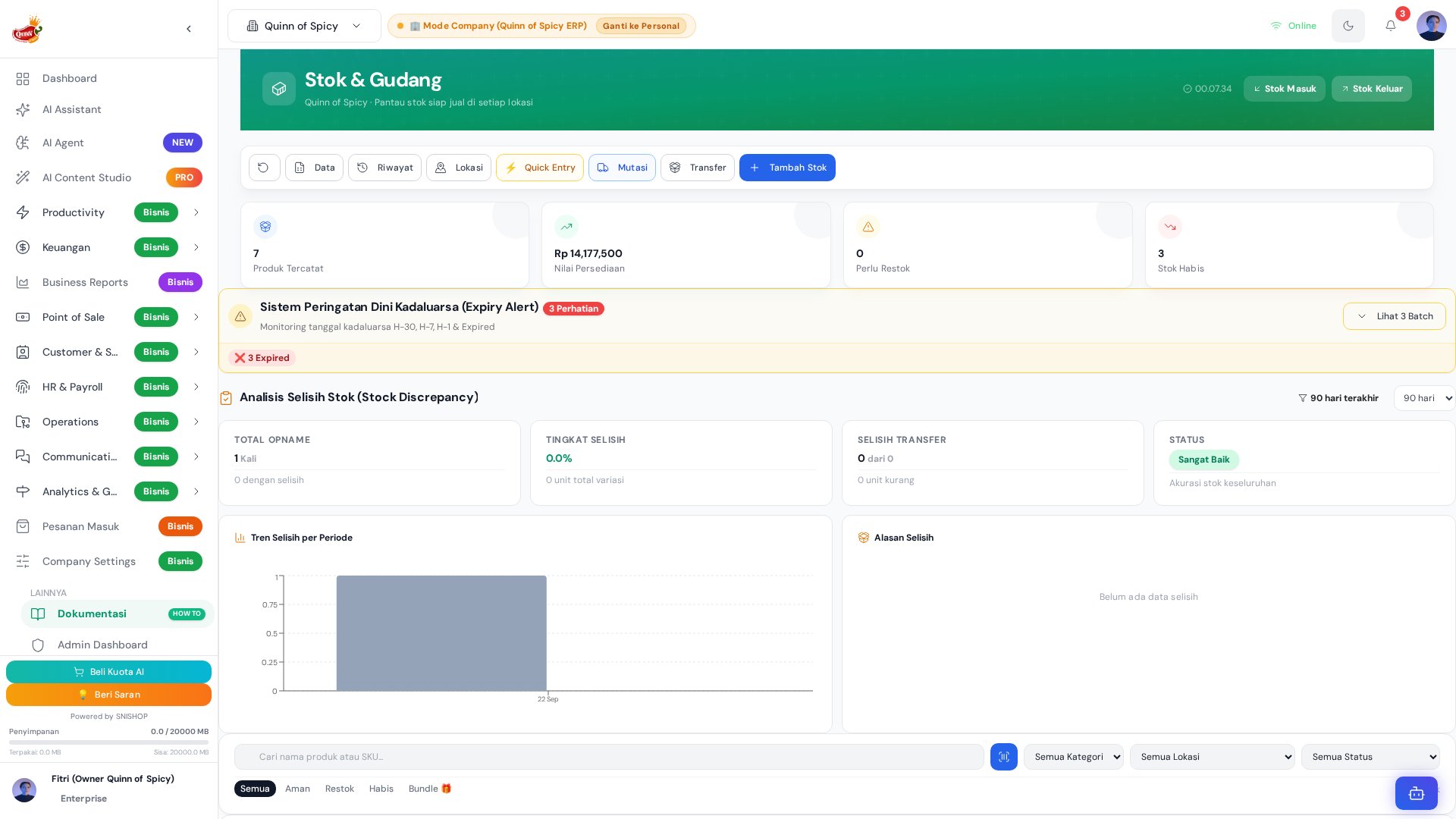
Akses Halaman
URL:/inventory
Product List
Daftar semua produk dengan informasi:- Product name
- SKU
- Category
- Current stock
- Stock per lokasi
- Low stock indicator
- Expired indicator
- Last movement date
Filter & Search
Filter produk berdasarkan:- Category
- Location
- Stock level (low stock, out of stock)
- Expired status
- Search by name or SKU
Stock Levels
Current Stock
Stok saat ini per lokasi:- Lokasi 1: 50 units
- Lokasi 2: 30 units
- Lokasi 3: 20 units
- Total: 100 units
Low Stock Alert
Produk dengan stok di bawah minimum:- Minimum stock threshold per produk
- Alert otomatis saat stok di bawah minimum
- Notifikasi ke inventory manager
- Reorder suggestion
Out of Stock
Produk dengan stok 0:- Indicator merah
- Tidak bisa dijual di POS
- Reorder priority tinggi
Expired Stock
Produk yang sudah expired:- Expiry date tracking
- Alert sebelum expired
- Auto-remove dari available stock
- Disposal tracking
Stock Movement
Stock In (Masuk)
Sumber stock in:- Production output
- Purchase order received
- Return from customer
- Stock adjustment
Stock Out (Keluar)
Sumber stock out:- POS transaction
- Sales order
- Stock transfer
- Stock adjustment
- Damaged/lost
Movement History
Setiap pergerakan stok dicatat:- Date & time
- Type (in/out)
- Source/destination
- Quantity
- Reference (order ID, production ID, dll)
- User who made the change
Stock Operations
Stock In Form
- Pilih produk
- Pilih lokasi
- Input quantity
- Pilih sumber (production, purchase, return, adjustment)
- Tambah notes (optional)
- Submit
Stock Out Form
- Pilih produk
- Pilih lokasi
- Input quantity
- Pilih tujuan (sales, transfer, adjustment, damaged)
- Tambah notes (optional)
- Submit
Stock Transfer
- Pilih produk
- Pilih lokasi asal
- Pilih lokasi tujuan
- Input quantity
- Submit
- Stok otomatis update di kedua lokasi
Stock Adjustment
- Pilih produk
- Pilih lokasi
- Input quantity adjustment (positive/negative)
- Tambah alasan adjustment
- Submit
- Audit trail tercatat
Batch & Lot Tracking
Batch Number
Setiap produk bisa memiliki batch number:- Production batch
- Purchase batch
- Tracking per batch
Lot Number
Lot tracking untuk traceability:- Raw material lot
- Production lot
- Expiry date per lot
- Recall capability
Barcode
Generate Barcode
Setiap produk bisa generate barcode:- SKU-based barcode
- Custom barcode
- Print barcode label
Scan Barcode
Scan barcode untuk:- Quick product lookup
- Stock in/out
- Stock opname
- POS transaction
Export & Import
Export to CSV
Export product list dan stock levels:- All products
- Filtered products
- Per location
- Per category
Import from CSV
Import product data:- New products
- Stock updates
- Price updates
- Bulk update
Reporting
Stock Report
Laporan stok per:- Produk
- Kategori
- Lokasi
- Tanggal
Movement Report
Laporan pergerakan stok:- Stock in summary
- Stock out summary
- Net movement
- Top moving products
Valuation Report
Laporan nilai stok:- Total stock value
- Per location value
- Per category value
- FIFO/FEFO valuation
Aging Report
Laporan umur stok:- 0-30 days
- 31-60 days
- 61-90 days
- 90+ days
- Expired
Discrepancy Report
Laporan selisih stok:- System stock vs physical stock
- Discrepancy amount
- Discrepancy percentage
- Root cause analysis